When planning a business website, design is only part of the brief. The more important question is what the website should help the customer and the team accomplish.
For appointment-based services, the real problem is often fragmented communication: Instagram messages, calls outside working hours, repeated availability questions, manual confirmations, rescheduling and missed enquiries.
That leads to a practical decision: is a focused contact form enough, or does the business need an online booking system?
The answer depends on the workflow, enquiry volume and the time currently spent coordinating appointments.
What is an online booking system?
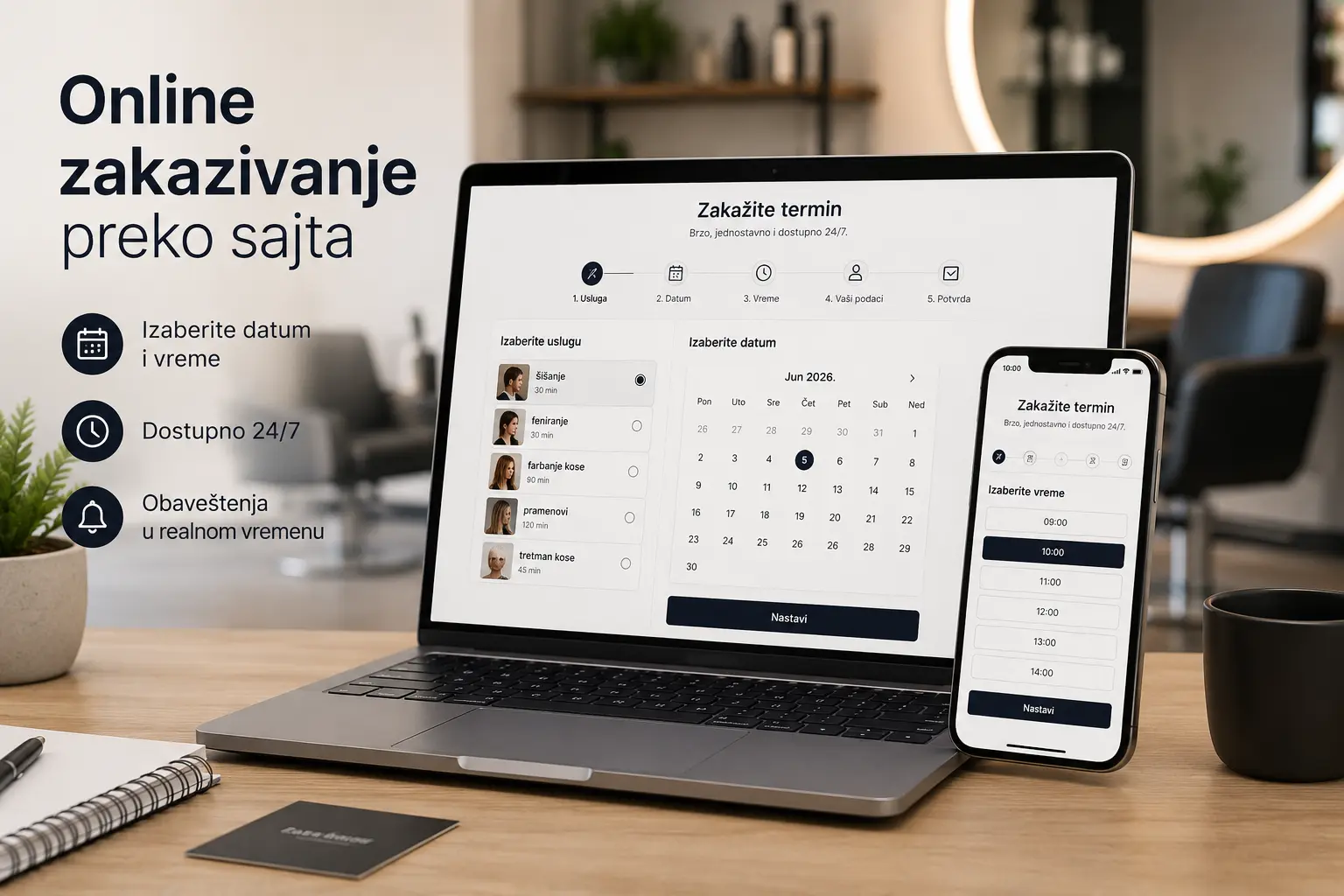
A booking system lets a visitor choose a service, date or time and submit an appointment or reservation request through the website.
Instead of asking when you are available and waiting for a reply, the customer sees the options you have chosen to expose. The system can then record the request and notify both sides.
A simple setup may only collect a preferred date and time. A more advanced workflow can manage live availability, several services or team members, automated confirmations, reminders, payments and an administrative calendar.
A booking system is therefore not merely a website add-on. It can become part of the daily operating process.
When is a contact form enough?
A contact form remains the right tool for many businesses. Adding scheduling complexity does not create value when every enquiry requires a conversation first.
Use a contact form when the service needs an individual assessment, has no fixed duration or price, or requires the business to qualify the request before proposing a meeting.
Complex projects, consulting, interior design, legal work, construction and many B2B services rarely fit a simple slot-selection flow. The prospective client should first explain the situation, after which the business can recommend the next step.
In those cases, the website should collect a useful enquiry rather than imitate an automated appointment process.
Keep the form focused. Name, a reliable contact method, a short message and possibly a service choice are often enough. Every additional field should have a clear operational purpose.
When does online booking make sense?
Online scheduling makes sense when your business naturally runs through appointments, reservations, or recurring services.
Booking becomes useful when staff repeatedly check availability across several channels, miss messages or spend a meaningful part of the day coordinating routine appointments.
It is particularly valuable when customers ask the same questions about availability, pricing, service duration or preparation. The website can answer those questions before the booking request reaches the team.
Online booking may help if:
- clients often schedule appointments;
- you have services that take a certain number of minutes or hours;
- you repeatedly answer the same scheduling questions;
- requests arrive through Instagram, Viber, WhatsApp, email and phone;
- enquiries are occasionally overlooked;
- you have multiple employees or multiple types of services;
- you want the client to be able to send the request outside working hours;
- you want a more consistent and professional customer journey.
The value is operational, not cosmetic: less repetitive coordination, fewer lost requests and a clearer record of what was requested and when.
Which businesses benefit most from online booking?
Booking is not reserved for hotels or large organizations. It can be most useful to a small service business without a dedicated receptionist or scheduling team.
Common examples include salons, barbers, dental practices, private clinics, physiotherapists, vehicle services, coaches, consultants, educators, language schools, accommodation providers and massage studios.
For these businesses, a website can become an operational tool rather than a static digital brochure.
A salon can let customers choose a treatment and preferred time. A vehicle service can collect the vehicle details needed for an inspection request. A consultant can expose selected introductory-call slots. An accommodation provider may connect availability with a reservation enquiry.
In each case, customers receive a clearer route to the service and the business receives more structured information.
What should a good booking system include?
A good booking system does not always have to be complicated, but it must be clear and adapted to the way the business really works.
A basic flow normally includes a service choice, date or slot selection, essential customer details and a clear confirmation after submission.
A more advanced system may include an availability calendar, multiple employees, different service durations, automatic email notifications, the ability to cancel or reschedule appointments, integration with Google Calendar, online payment, or an administrative booking management panel.
The important question is not “How many features can we add?” but “Which steps does this business actually need?”
An unnecessarily complex flow can reduce completions. Requiring an account, email verification and unrelated fields before a simple request adds friction without helping the business.
The customer should understand the next step, while the team should receive enough information to act without re-entering everything manually.
Booking plugin or custom solution?
On WordPress, online booking can be implemented with a maintained plugin or a customized workflow. The right choice depends on process complexity, integration requirements and the cost of long-term maintenance.
A plugin can be a good choice when you have a simple process: one location, several services, a basic calendar, and a standard scheduling method. The advantage is that such a solution can often be implemented faster and more easily tested.
A custom implementation becomes more relevant when availability depends on several employees, locations, service durations, resources, approval rules or integrations with an existing business system.
A poor fit occurs when the business changes its process merely to satisfy a plugin’s limitations. The software technically works, but staff create manual workarounds and stop trusting the calendar.
Map the process before choosing software: what the customer selects, who confirms the request, which rules block availability, what notifications are required and who maintains the schedule.
Once those decisions are documented, it becomes much easier to compare a plugin with a custom solution.
The most common mistake: implementing software before defining the process
A booking system should not be added simply because it “looks modern”.
If the rules are unclear, customers may request slots the business cannot honour, employees may receive incomplete notifications and the owner may still verify everything manually. The new system then adds work instead of removing it.
That’s why a good booking system starts with questions, not design.
Which services can be booked? How long does each take? Must the team approve each request? Are buffers needed between appointments? Which confirmations and reminders should be sent? Do customers select a genuinely available slot or only submit a preferred time?
Resolve these questions before implementation and the booking workflow becomes simpler to build, test and operate.
Can online booking increase enquiries?
It can remove friction, but a calendar by itself does not create demand.
A well-designed flow lets an interested visitor act without calling, waiting for a social-media reply or guessing which details to send.
That is especially useful outside working hours. A person who can submit a clear request immediately is less likely to postpone the decision and forget to return.
The rest of the website still needs to explain the service, establish trust and answer objections. Booking improves the final step only after the visitor sees a reason to choose the business.
When is a booking system the wrong choice?
Online booking is not always the best option.
A contact form may be better when monthly enquiry volume is low, every service is scoped individually or a conversation must happen before any appointment can be offered.
Do not expose availability that no one maintains. A customer who receives an appointment confirmation and is later told the time was unavailable has been given a worse experience than someone who submitted a simple request.
Implement booking only when the team is ready to treat it as part of the operating process.
Contact form or booking system: how to decide
Ask whether the visitor already knows which defined service or appointment they want when they reach the website.
If the answer is yes and the availability rules can be represented accurately, booking may fit.
If the visitor must explain a situation, submit documents or receive an estimate first, start with a contact or qualification form.
A haircut, treatment or introductory consultation often fits scheduling. A complex project, custom quote or advisory engagement usually begins with an enquiry.
Some businesses need both: a contact form for general enquiries and booking for clearly defined appointments.
A website can be more than a presentation—it can support the business process
A good website should not only look credible; it should solve a specific customer or operational problem.
For one business the main issue is trust; for another it is an unclear service offer or an outdated design. Appointment-based businesses may instead be losing time in fragmented scheduling.
If messages, calls and manual calendar checks consume time every day, booking can be one of the website’s most useful functions.
Its purpose is not to appear modern, but to help customers take the next step and help the team manage that step reliably.
Conclusion
Contact forms and booking systems solve different problems.
Use a contact form for general enquiries, quote requests and situations that need explanation. Use booking when customers choose from clearly defined services, appointments or reservations and the business can maintain accurate availability.
Do not begin with a plugin list. Begin with the current workflow, the customer’s decisions and the points where time or enquiries are being lost.
RXN Web Solutions works with businesses in Stara Pazova, Nova Pazova, Banovci and beyond to design WordPress websites whose enquiry or booking workflow reflects the way the team actually operates.
Frequently asked questions about online booking
What is a booking system on a website?
A booking system is website functionality that lets a customer choose a service and a preferred date or time, then submit or confirm an appointment or reservation according to the business’s rules.
Can a WordPress website support online booking?
Yes. WordPress can support booking through a suitable plugin or a custom implementation, depending on availability rules, integrations and administration needs.
Which businesses benefit from online booking?
Businesses with defined appointment-based services benefit most, especially when staff repeatedly coordinate availability through several communication channels.
Is a contact form enough for a small business?
Yes. A focused form is often enough when the business first needs context, a quote request or a description of the customer’s situation.
What is the difference between a contact form and a booking system?
A contact form collects an enquiry. A booking system applies scheduling rules and lets the customer choose or request a defined service, date and time.
Can a booking system send email notifications?
Yes. Depending on the implementation, it can notify the business, acknowledge a request, confirm an approved appointment and send reminders.
Is online booking useful for local businesses?
It can be particularly useful for local appointment-based businesses because it reduces repetitive scheduling messages and allows requests outside working hours.
Does every business need a booking system?
No. If the business does not operate through appointments, reservations or defined time slots, a contact form is usually simpler for both the customer and the team.
Need a website with online booking?
If customers should be able to enquire, request an appointment or schedule a consultation online, the workflow should be designed around your actual availability and confirmation process.
Contact RXN Web Solutions to discuss a WordPress booking system tailored to the way your business works.


